ZBar

ZBar
License:
Free
Language:
English
Developer:
OS:
WinXP/Vista/7
Updated:
See detailed info

Softonic review

Elena Santos

“One taskbar for all your screens”

by Elena Santos about ZBar

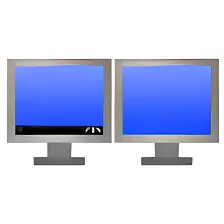
ZBar is a small, free app that solves one of the most annoying issues when working with multiple monitors: it allows you to extend the toolbar across the extra screens, beyond just the primary one.

With ZBar you can have the Windows toolbar on all your screens, either on top or at the bottom. To make it fit your current Windows style, ZBar features a bunch of customization options, including eight different skins, support for standard or double height and a few special effects including mirror and glass.

The good thing about ZBar is that it also includes a few extra goodies, such as an optional clock and a six-month calendar, as well as a tool to use different wallpapers on each screen or just one image across all of them – which is not supported natively by Windows.

ZBar doesn’t require installation, and given its barely noticeable impact on system resources (7 MB), it’s the perfect companion for everyone with multiple-monitor computers.

ZBar makes the Windows toolbar stretch across multiple monitors, and also lets you use different wallpapers on each screen.

Pros
  • Use the Windows toolbar on all your monitors
  • Have a different wallpaper on each screen
  • No installation required
  • Light on system resources
  • Customize to make it fit your Windows style
Cons
  • No documentation
Free Download ZBar 0.81

ZBar is virus free

We have analyzed the latest version of ZBar with 30 antivirus engines and it is virus free. See analysis results.

TESTED VIRUS FREE - Softonic GUARANTEED

ZBar (1) User reviews

  • rank_0
  • 0/10
  • rickjunk4me rickjunk4me
    User reviews
    1

    Since there is no documentation, does anyone have a clue about how to configure it? Pls email me at rickjunk4me@yahoo.com

    Good Review, though.

    Rick... More

    • Review of ZBar - 03 Feb 2011
      This review is liked by 0 of 1
Your avatar
Review
  1. Maximum: 75 characters

  2. See example

Pros and Cons
Rate
  1. What rating would you give ZBar?

    You need to fill in all fields

    • Usability:

      Not rated
    • Stability:

      Not rated
    • Installation:

      Not rated
    • Functionality:

      Not rated
    • Appearance:

      Not rated
    • Overall rating:

      Not rated
  2. Don't worry, we won't make your email address public.

You're not allowed to share serial numbers, cracks, etc. or link to pages that contain them. If you do, your user account will be deleted, your IP address logged and legal action will be taken.

Get started - just ask a question!

Write a title for your question.

Alternativesto ZBar

  • In English:
    Desk Illusion
    Desk Illusion

    Up to 100 virtual desktops on one PC

    Softonic rating:
    • 7/10
    User rating:
    • 10/10
  • Recently updated:
    Acer Gridvista
    Acer Gridvista

    Divide your screen into two, three or four sections

    Softonic rating:
    • 7/10
    User rating:
    • 10/10
Compare with ZBar
Download rank: Multiple Desktops

6 of 29

Softonic rating:
  • Excellent
  • 9/10
Your rating:
Your rating
  • 0

Review and rate this program

Top Downloads: Multiple Desktops

  • United States
  • Global

  1. Create six virtual and independent desktops with 3D preview

Reviews of ZBar in other languages